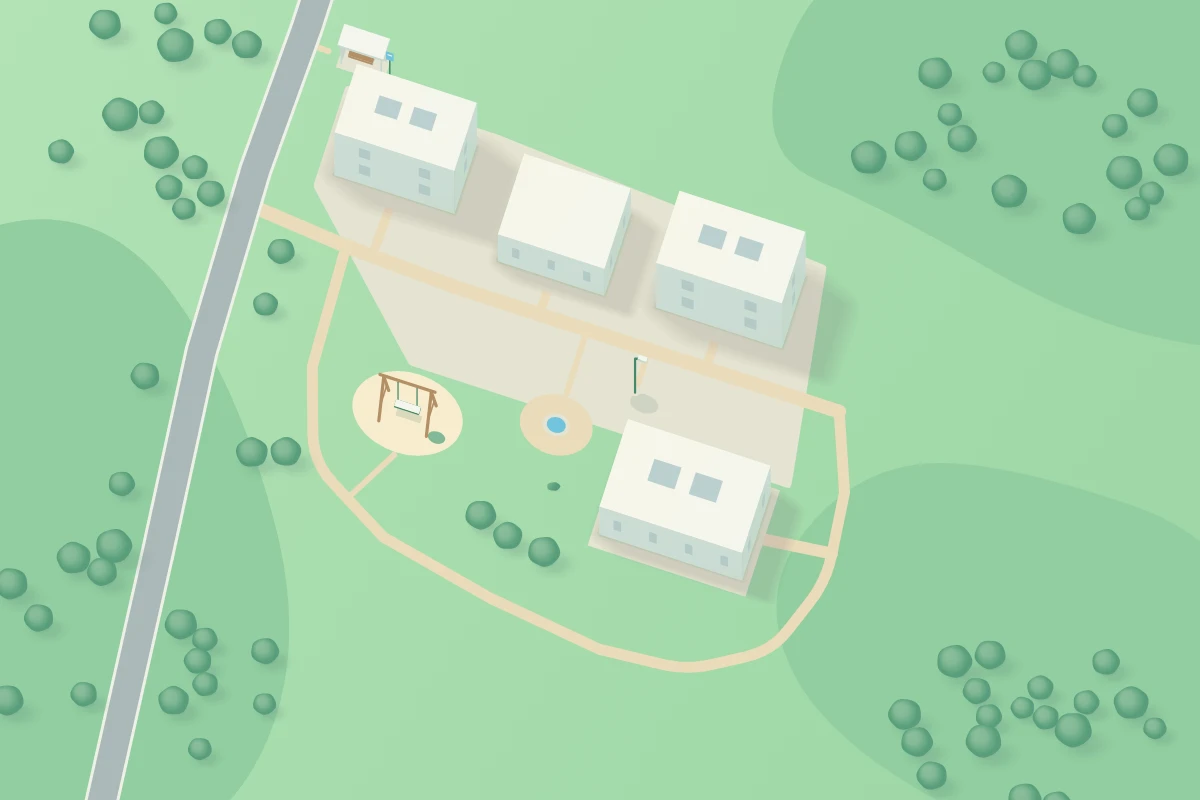
Housing, a school and a park form distinct districts. This sample map shows their context without displaying real reports or statistics.
Drag · Click to enable scroll zoomTwo fingers to move and zoomDrag the map with your mouse. Click it first to enable scroll-wheel zoom. On touchscreens, use two fingers to move and zoom. Use the arrow keys to move, plus or minus to zoom, and Home to reset the view.
Fictional sample map. Places and layout are for illustration.
Streetlight
Bus stop
Kleegärten playground
Waste bin
For everyday work on site
Turn individual steps into a clear workflow.
The heatmap shows where reports with a location were concentrated during the selected period. Your administration can use these patterns to decide which places to investigate. The monthly chart compares new and resolved reports across the whole municipality, bringing geographic concentrations and the overall trend into view.
One possible workflow
01
Choose a period
In the KPI dashboard, select one of the available periods: the past 3, 6, 12 or 24 months. The heatmap shows the geographic density of reports received during that period.
02
Look more closely at places
Look more closely at areas with many reports. Review the individual reports and the situation on site before planning action. Few reports do not necessarily mean that an area has no problems.
03
Follow the monthly trend
The line chart shows how many reports were received and resolved each month. It describes the trend across the whole municipality and helps with planning further work.
Yes. The KPI dashboard is part of the platform. It shows new and resolved reports, response and resolution times, and breakdowns by category or department. What the figures can tell you depends on the data recorded; missing timestamps are identified.
Yes. Roles and individual permissions can be managed, while departments reflect who is responsible for the work. You can decide who may handle reports, manage inventory or view particular folders.
How do people find out what happens to their report?
After submission, they receive a confirmation with a private link. They can use it to follow progress or withdraw their report. Email notifications can also be used when the relevant contact details have been provided.