For property managers

Fewer follow-up questions. A clearer picture.

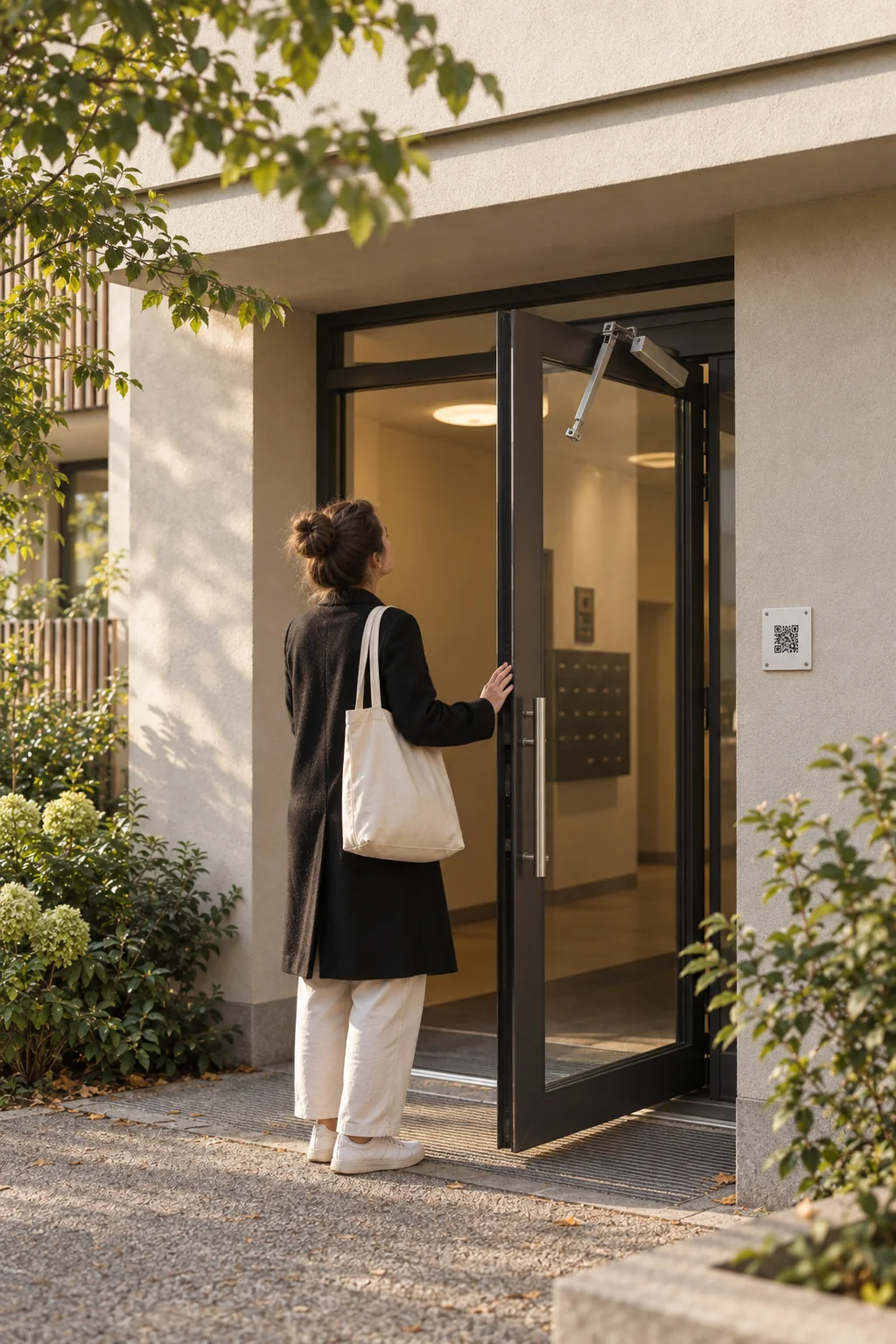
Read building information or report a fault to the caretaking team: a QR code in the building takes tenants straight to the right page.

See the workflow
View the whole image
Illustrative scene: a resident examines a loose door closer above an entrance stuck open, with a QR sign beside the door.
Illustrative scene · AI-assisted

An example on the map

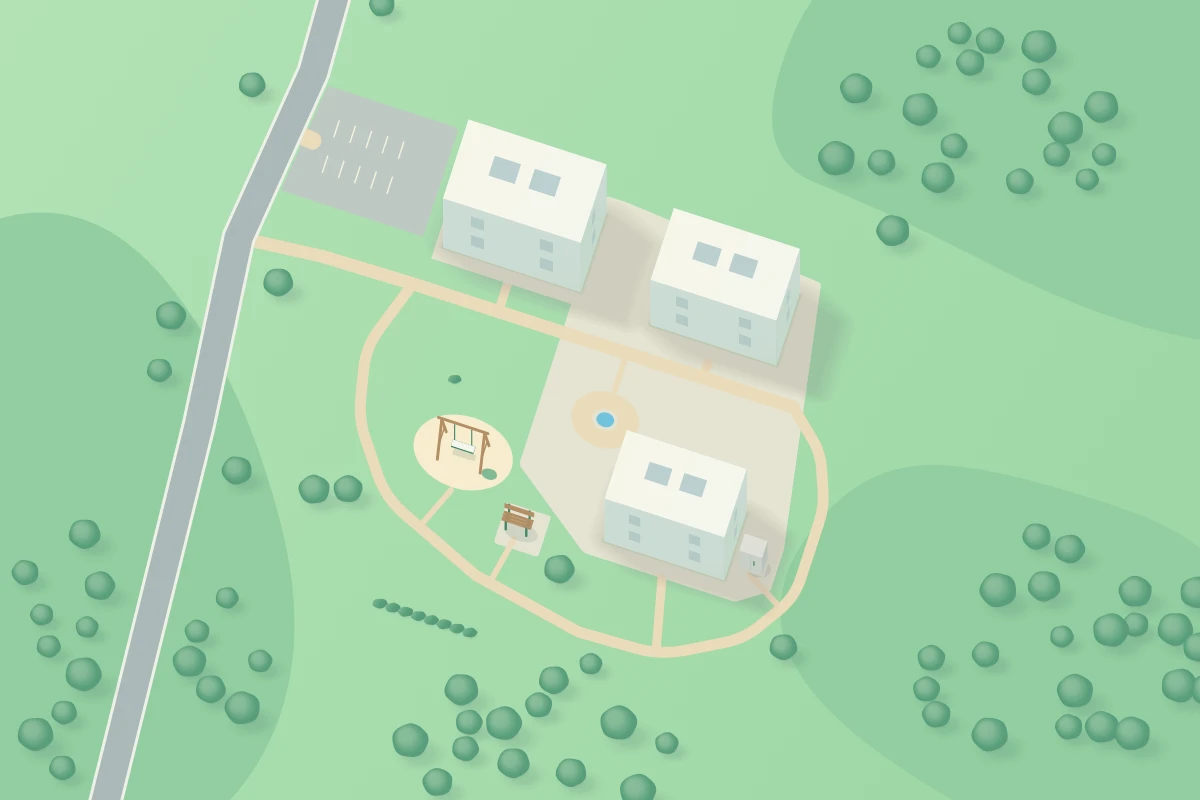
A neighbourhood around a courtyard.

Apartment buildings frame a shared courtyard. Play areas, seating and property services have their own spaces, with parking at the edge.

Apartment buildings frame a shared courtyard. Play areas, seating and property services have their own spaces, with parking at the edge.Apartment buildings frame a shared courtyard. Play areas, seating and property services have their own spaces, with parking at the edge.
Drag · Click to enable scroll zoomTwo fingers to move and zoom Drag the map with your mouse. Click it first to enable scroll-wheel zoom. On touchscreens, use two fingers to move and zoom. Use the arrow keys to move, plus or minus to zoom, and Home to reset the view.

Fictional sample map. Places and layout are for illustration.

  • Entrance · Building A
  • Laundry room · Building A
  • Courtyard playground
  • Control cabinet
  • Visitor car park lighting

For everyday work on site

Turn individual steps
into a clear workflow.

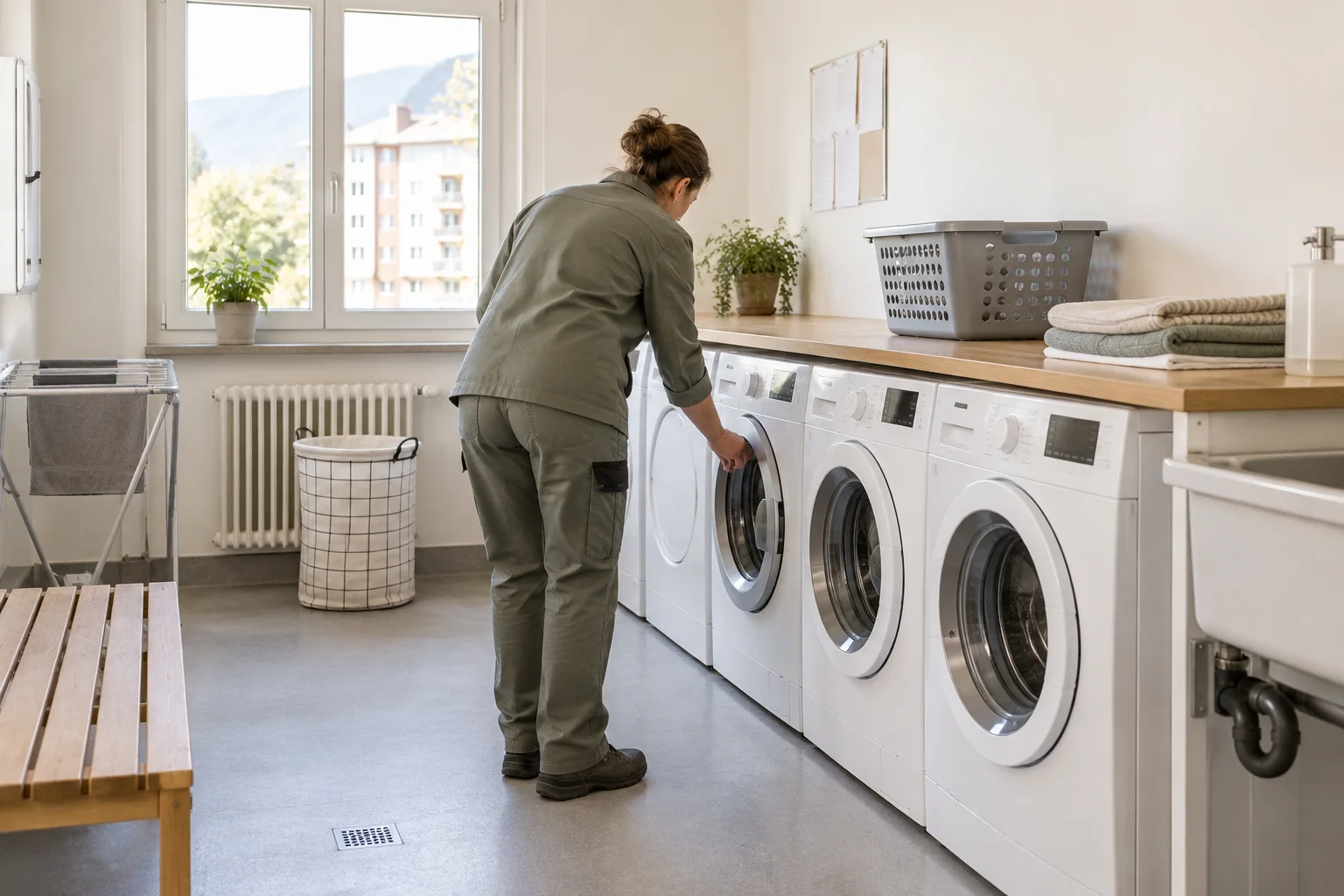
A QR code in the entrance hall or laundry room opens the guidance for that area. Tenants can also report a faulty door or washing machine there. The caretaking team sees which asset is affected and records its work directly in the report.

A caretaker checks a washing machine door in a bright shared laundry room with a wooden work surface.
Shared spaces, well looked after.Illustrative scene · AI-assisted

After the scan

Get informed.
Then get involved.

A QR code opens the public asset page. People can find information about the place and start a report if needed.

Example · Public asset page

Caretaking

Laundry room · Building A

Please leave the room clean and follow the washing schedule on display. Is a machine not working properly? Tell us briefly what is wrong.

Try reporting an issue

Example of guidance included in the asset description.

One possible workflow

01

Open information on site

A QR code in the building opens the asset page. Tenants can read the guidance and report a fault from there without creating an account.

02

Coordinate the caretaking work

Your team picks up the report, assigns it to a responsible person and keeps follow-up questions and deadlines in one place.

03

Keep knowledge for the next visit

Link the report to the relevant inventory asset and documents. The next person can see what has already been checked or repaired.

Relevant features

What helps your team
get things done.

Explore all features
  • Public building information through a QR code
  • Tasks for the caretaking team
  • Plans and files linked to the work
  • Roles and folder access permissions

Any more questions?

Good to know.

All questions and answers
Can a QR code show information before someone reports an issue?

Yes. A QR code can open the public asset page. Visitors see its name, description, responsible departments and approved images. You can share playground guidance or construction project information, for example. An action on that page opens a report linked to the same asset.

Open in the FAQ
Are photos and contact details required?

No. Both are optional. A photo often helps the team understand the problem; contact details allow follow-up questions or notifications when needed.

Open in the FAQ
Where do we keep plans, manuals and other documents?

The file module provides folders, file versions and a recycle bin. Relevant documents can be linked to reports or tasks. Roles control which folders each person can see.

Open in the FAQ
Can different teams have different access?

Yes. Roles and individual permissions can be managed, while departments reflect who is responsible for the work. You can decide who may handle reports, manage inventory or view particular folders.
Open in the FAQ

Made for these places, too

More use cases.

The next step

See for yourself.

Your field, scale and suitable plan: the key facts for your project. A video walkthrough is available if you would like one.

Legal information

Legal notice (Impressum)

Information pursuant to Section 5 of the German Digital Services Act (DDG). Operator of this website and provider of Power Local:

Commercial register: Amtsgericht Leipzig (local court), HRB 41176.

Represented by David Zerbe.

Responsible for content under Section 18 (2) of the German State Media Treaty (MStV): David Zerbe, address as above.

Privacy

The controller for data processing on this website is uxactly GmbH, named in the legal notice. Send privacy questions to info@uxact.ly.

Hosting: this website is operated on servers of IONOS SE, Elgendorfer Strasse 57, 56410 Montabaur, Germany. When you visit, the hosting server stores technically necessary access data (IP address, time, page requested, browser type) in log files to secure operations and detect faults. The legal basis is Article 6(1)(f) GDPR; the logs are deleted after a short period.

The interactive platform uses fictional sample data. Changes stay in this browser tab’s memory and reset when you reload.

This page loads fonts, images and icons locally. Only after you allow analytics do we use Google Analytics 4, provided by Google Ireland Limited, Gordon House, Barrow Street, Dublin 4, Ireland, to understand page usage in aggregate and improve this website. Google receives technical request data, including your IP address, browser and device details, pages viewed, referral sources and cookie identifiers. The legal basis is your consent under Article 6(1)(a) GDPR; storing and accessing analytics identifiers on your device also requires your consent under Section 25(1) TDDDG. Data may also be processed in the United States. We remember your choice in this browser’s local storage for up to 180 days; analytics cookies are set with a maximum lifetime of 180 days. You can refuse analytics or withdraw your consent at any time through “Analytics settings” in the footer, without affecting the lawfulness of processing before withdrawal. Google’s privacy information

You can download the project brief or send it to us. Downloaded, it is created in your browser and not sent anywhere. Sent, your details reach us as an email: organisation, email address, field and language and, where present, name, size (depending on the field: residents, homes, school buildings and facilities, or locations), the chosen plan, the plan the size suggests and needs, plus the time of sending and three technical labels: which button opened the form (source), which version of the page you saw (variant) and whether the form passed the timing check against automated requests. The website hands the email to the mail function of its hosting server (IONOS SE), which delivers it to our mailbox at Microsoft 365, with Microsoft as our processor. We use your details to answer your enquiry (Article 6(1)(b) GDPR), and the source and variant also to learn which part and which version of our pages lead to enquiries (legitimate interest, Article 6(1)(f) GDPR). We store none of it on this website and pass none of it on to third parties; nothing is stored in your browser for this either, as the version changes weekly by the calendar. To prevent misuse, the server counts enquiries per sender under a hash of the IP address made with a secret key of the website (HMAC), and separately counts all enquiries anonymously in total; both counts are kept per UTC hour and per UTC day respectively and expire at the latest one hour or one day after the last enquiry, and the address itself is never stored. After sending, the confirmation, and the notice when sending fails, also offer “Pick a time”: the link leads to Microsoft Bookings. With the click you leave this website, Microsoft’s terms and cookies apply, and we pass no details from this page along with it. If you book a time there, the details you enter there (such as your name and email address) and the time you chose reach our own Microsoft 365 calendar, with Microsoft as our processor; we use them to hold the walkthrough (Article 6(1)(b) GDPR).

Your selected appearance (light, dark or high contrast) is saved locally in this browser for your next visit. Selecting “Automatic” removes this preference and follows your device settings.

The photos show illustrative, AI-generated scenes.

You have the right to access, rectification, erasure, restriction of processing, data portability and objection (Articles 15 to 21 GDPR), and the right to lodge a complaint with the competent supervisory authority, which for the Free State of Saxony is the Saxon Data Protection and Transparency Commissioner. Visitors from Switzerland additionally have the rights granted by the Swiss Federal Act on Data Protection (FADP).

Last updated October 2026. This statement will be revised when the website or its hosting changes.

Configure your project.

Choose your area and add the details for your quote.

Your sector

Matching scope:

More details (optional) Name, job title and your needs

Your details reach us as an email; only two counters against misuse are stored here, per hour and per day, without your IP address. Privacy

Request sent

Thank you! We are putting your quote together.

Within one working day we reply from info@uxact.ly: with your quote or, for a custom scope, with the questions it needs. To see Power Local first, pick a time.

What happens next

  1. We read your key facts and put the quote together for your field.
  2. It arrives by email within one working day; for a custom scope, our questions come first.
  3. To see Power Local first: pick a time, 30 minutes, by video.

Not sent

Something went wrong.

Your request could not be sent. Pick a time directly, or write to us; we reply within one working day.

Email: info@uxact.ly