For schools and facilities

Keep everyday life running.

Give teachers, caretakers and administrators a shared way to report problems with rooms, facilities and equipment.

See the workflow
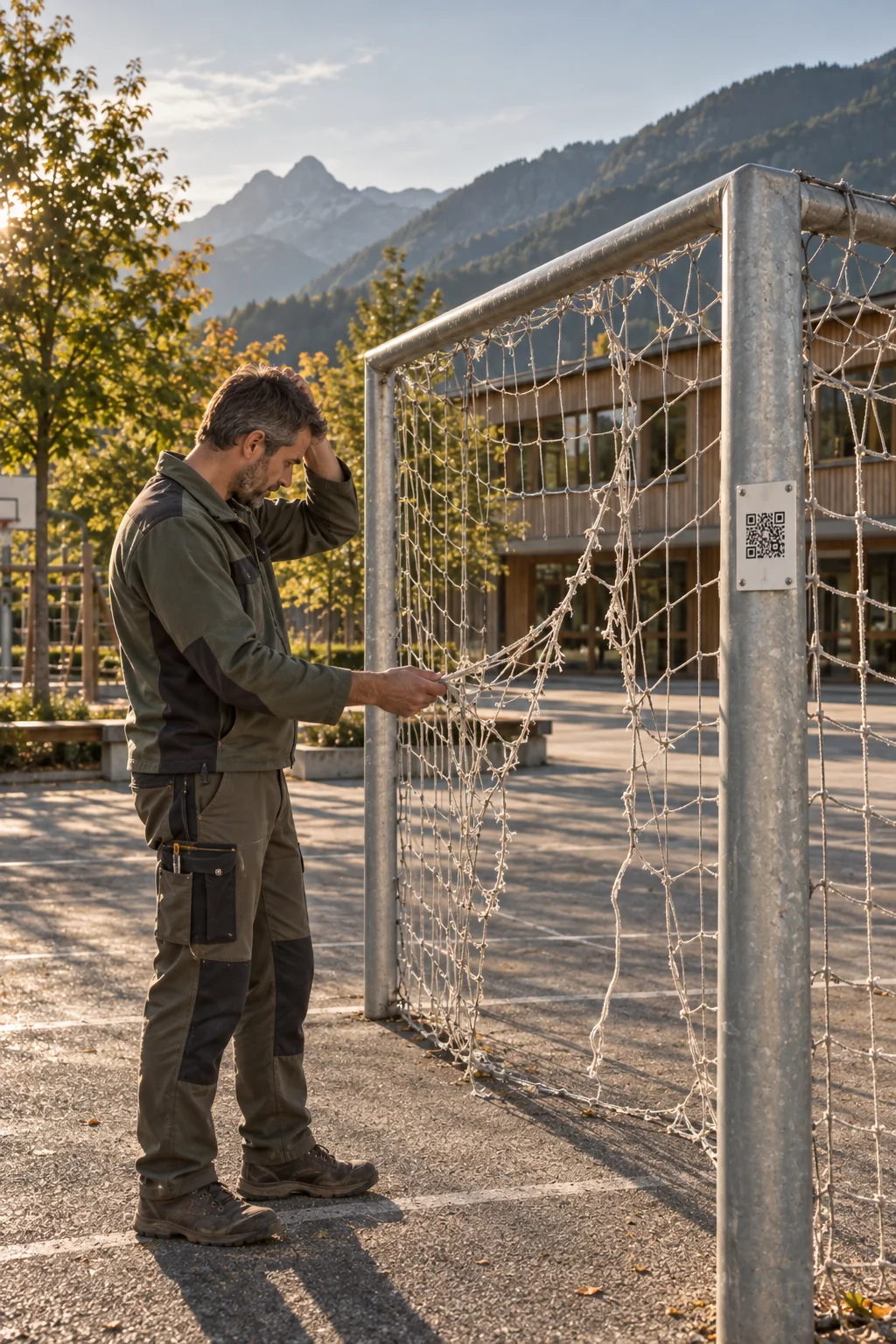
Illustrative scene: a school caretaker inspects a torn goal net on the sports ground, with a QR sign on the goalpost.
Illustrative scene · AI-assisted

For everyday work on site

Turn individual steps
into a clear workflow.

A QR code at the sports ground, in the school building or on a piece of equipment opens usage guidance and a report form. Teachers, clubs and other users can report faults or damage directly. The caretaking team takes on the reports and plans the work needed.

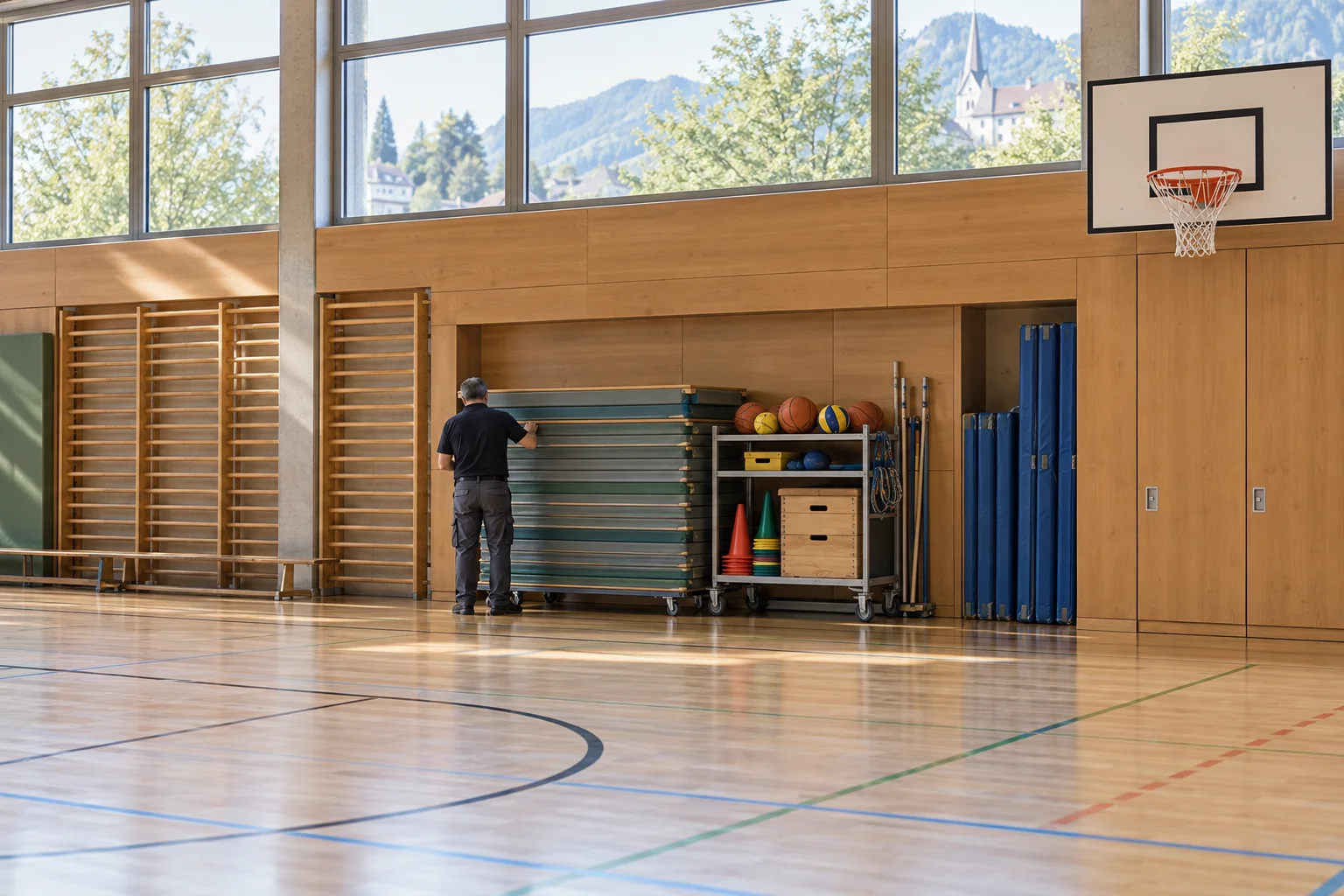
A caretaker arranges stacked gym mats in a bright sports hall with timber walls.
Ready for the next PE lesson.Illustrative scene · AI-assisted

After the scan

Get informed.
Then get involved.

A QR code opens the public asset page. People can find information about the place and start a report if needed.

Example · Public asset page

Caretaking

Sports facilities by the school

Please keep access routes clear and be considerate of other users. You can report a damaged goal or a lighting problem here.

Try reporting an issue

Example of a facility that is open to the public.

One possible workflow

01

Read the guidance and report a problem

The public asset page explains how to use the facility or equipment. People can report a problem from there, already linked to the relevant asset.

02

Coordinate the work

Caretakers and administrators decide who will handle each report. They can add other work as internal tasks with due dates.

03

Keep documents close at hand

Link the report to the affected equipment and the documents needed. Another team member can then continue the work using the information already recorded.

Relevant features

What helps your team
get things done.

Explore all features
  • Usage guidance on the asset page
  • Tasks for caretakers and administrators
  • Inventory with QR labels
  • Shared document storage

Any more questions?

Good to know.

All questions and answers
Can a QR code show information before someone reports an issue?

Yes. A QR code can open the public asset page. Visitors see its name, description, responsible departments and approved images. You can share playground guidance or construction project information, for example. An action on that page opens a report linked to the same asset.

Open in the FAQ
Do people need an app or an account to submit a report?

No. A QR code or link opens the form directly in the browser. Residents, staff and tenants can submit a report without installing an app or creating an account.

Open in the FAQ
Can equipment and facilities be linked to reports?

Yes. Inventory assets can have their own QR labels. A report started from a label retains its link to the asset; linked reports and tasks remain accessible from that asset's entry. The inventory also supports recording check-outs and returns.

Open in the FAQ
How does the rollout work?

First, we clarify your workflows, the teams involved and the scope you need. Standard setup covers installation, your logo, colours and basic configuration. Data migration, team introductions or training, and custom adaptations are scoped and charged separately according to the work involved.

Open in the FAQ

Made for these places, too

More use cases.

The next step

See for yourself.

Your field, scale and suitable plan: the key facts for your project. A live video demo is available if you would like one.

Legal information

Legal notice (Impressum)

Information pursuant to Section 5 of the German Digital Services Act (DDG). Operator of this website and provider of Power Local:

Commercial register: Amtsgericht Leipzig (local court), HRB 41176.

Represented by David Zerbe.

Responsible for content under Section 18 (2) of the German State Media Treaty (MStV): David Zerbe, address as above.

Privacy

The controller for data processing on this website is uxactly GmbH, named in the legal notice. Send privacy questions to info@uxact.ly.

Hosting: this website is operated on servers of IONOS SE, Elgendorfer Strasse 57, 56410 Montabaur, Germany. When you visit, the hosting server stores technically necessary access data (IP address, time, page requested, browser type) in log files to secure operations and detect faults. The legal basis is Article 6(1)(f) GDPR; the logs are deleted after a short period.

This website loads fonts, images and icons locally. It contains no analytics or advertising trackers and sets no cookies.

The interactive platform uses fictional sample data. Changes stay in this browser tab’s memory and reset when you reload.

You can download the project brief or send it to us. Downloaded, it is created in your browser and not sent anywhere. Sent, your details reach us as an email: organisation, email address, field and language and, where present, name, size (depending on the field: residents, homes, school buildings and facilities, or locations), the chosen plan, the plan the size suggests and needs, plus the time of sending and three technical labels: which button opened the form (source), which version of the page you saw (variant) and whether the form passed the timing check against automated requests. The website hands the email to WordPress’s mail function on its hosting server (IONOS SE), which delivers it to our mailbox at Microsoft 365, with Microsoft as our processor. We use your details to answer your enquiry (Article 6(1)(b) GDPR), and the source and variant also to learn which part and which version of our pages lead to enquiries (legitimate interest, Article 6(1)(f) GDPR). We store none of it on this website and pass none of it on to third parties; nothing is stored in your browser for this either, as the version changes weekly by the calendar. To prevent misuse, the server counts enquiries per sender under a hash of the IP address made with a secret key of the website (HMAC), and separately counts all enquiries anonymously in total; both counts are kept per UTC hour and per UTC day respectively and expire at the latest one hour or one day after the last enquiry, and the address itself is never stored. After sending, the confirmation, and the notice when sending fails, also offer “Pick a time”: the link leads to Microsoft Bookings. With the click you leave this website, Microsoft’s terms and cookies apply, and we pass no details from this page along with it. If you book a time there, the details you enter there (such as your name and email address) and the time you chose reach our own Microsoft 365 calendar, with Microsoft as our processor; we use them to hold the demo (Article 6(1)(b) GDPR).

Your selected appearance (light, dark or high contrast) is saved locally in this browser for your next visit. Selecting “Automatic” removes this preference and follows your device settings.

The photos show illustrative, AI-generated scenes.

You have the right to access, rectification, erasure, restriction of processing, data portability and objection (Articles 15 to 21 GDPR), and the right to lodge a complaint with the competent supervisory authority, which for the Free State of Saxony is the Saxon Data Protection and Transparency Commissioner. Visitors from Switzerland additionally have the rights granted by the Swiss Federal Act on Data Protection (FADP).

Last updated September 2026. This statement will be revised when the website or its hosting changes.

Configure your project.

Choose your area and add the details for your quote.

Your sector

Matching scope:

More details (optional) Name, job title and your needs

Your details reach us as an email; only two counters against misuse are stored here, per hour and per day, without your IP address. Privacy

Request sent

Thank you! We are putting your quote together.

Within one working day we reply from info@uxact.ly: with your quote or, for a custom scope, with the questions it needs. To see Power Local first, pick a time.

What happens next

  1. We read your key facts and put the quote together for your field.
  2. It arrives by email within one working day; for a custom scope, our questions come first.
  3. To see Power Local first: pick a time, 30 minutes, by video.

Not sent

Something went wrong.

Your request could not be sent. Pick a time directly, or write to us; we reply within one working day.

Email: info@uxact.ly